Compare
AI fashion model generators for clothing brands. Helium is first, and we say why.
Published prices, a garment accuracy check you can run on any output, and one honest limit for every entry, ours included.
By Sidharth Sahni · Updated · 14 min read
Short answer. Helium ranks first on this list for clothing brands that want finished on-model images of their real products with the garment checked, at $1 an image. If you would rather run a tool yourself, FASHN (Basic $19 a month for 200 credits on monthly billing), Kive ($40 a month for 2,000 credits) and Wearview (from $29 a month) publish clear plans. Helium publishes this list, so the reasons and limits are below.
How we evaluated
We looked at what a clothing brand needs when it wants AI on-model images of its own products:
- Garment accuracy. What the vendor says about keeping print, logo and cut, and the limits it states itself.
- Who does the work. A tool you run, or a team that delivers finished images.
- Pricing. What the vendor publishes today. We write "Not published" or say what we could not see.
- Output. Image sizes, reusable models, video, bulk upload.
- Fit. Who each option suits, and one honest limit for each.
Disclosure. Helium publishes this list and has placed itself first, because we are the managed option: we deliver checked on-model images at $1 each, with a free sample first. That is a reason to read our entry with care. Helium's images are AI-generated. If you want to run a tool yourself, the tools below are a better fit and we say who each suits. Every fact about another company comes from its own site, checked in November 2026 and linked in the sources. A few third-party statements are attributed to the site that made them.
AI fashion model generators compared
| Company | Best for | What you get | Pricing (as published, Nov 2026) | Based in |
|---|---|---|---|---|
| 1. Helium | Finished on-model images with no tool to run | On-model images of your real products, checked against the product, free sample first | $1 an image; volume pricing for full catalogs | India (works with brands worldwide) |
| 2. Photoroom | Self-serve editing at volume | AI Fashion Models from a flat lay or worn photo, custom models, batch editing | Pro, Max, Ultra billed yearly; dollar prices not on the pricing page we opened. Photoroom's own article: $7.50, $20.99, $82.50 a month, billed annually | Not stated |
| 3. Botika | Bulk on-model images and video | Flat lay, hanger or ghost mannequin to on-model, 150+ AI models | $20, $48, $80 a month billed yearly; 30 credits for a 2K image | Not stated |
| 4. FASHN | An app plus an API for developers | Product photos, virtual try-on, AI models, video | $19, $49, $99 a month on monthly billing; API $0.075 a credit | Not stated |
| 5. Kive | Reusable character models and video | One to four photos per item to on-model images and 4 to 15 second clips | $40 a month on monthly billing (2,000 credits); about 10 credits an image | Not stated |
| 6. Claid | API and automated image pipelines | AI Fashion at 4 credits a generation, AI Photoshoot, background tools | Dollar amounts not visible on its pricing page when checked | Not stated |
| 7. Wearview | Small brands on a fixed monthly plan | Flat lay, hanger or worn photo to on-model, 100+ models, try-on | $29, $49, $99 a month; 3 credits an on-model image | Not stated |
The seven AI fashion model generators, one by one
Each entry says what the tool is, who it suits and where it falls short.
1. Helium
What it is. A managed AI content team. You send a store link or a CSV. We make on-model images of your real products, in a look you approve on a few styles first, and a person on our team checks every image against your product before you see it. Anything that drifts is remade.
Who it suits. Clothing brands with tens or hundreds of styles that want finished images and do not want to learn another tool, pick poses or check prints image by image. It also suits brands that want ad videos from the same catalog later, because the same team makes them (see ad creatives).
Price. $1 an image for catalog images, including on-model. Volume pricing for full catalogs. We send a free sample of your own product before you commit.
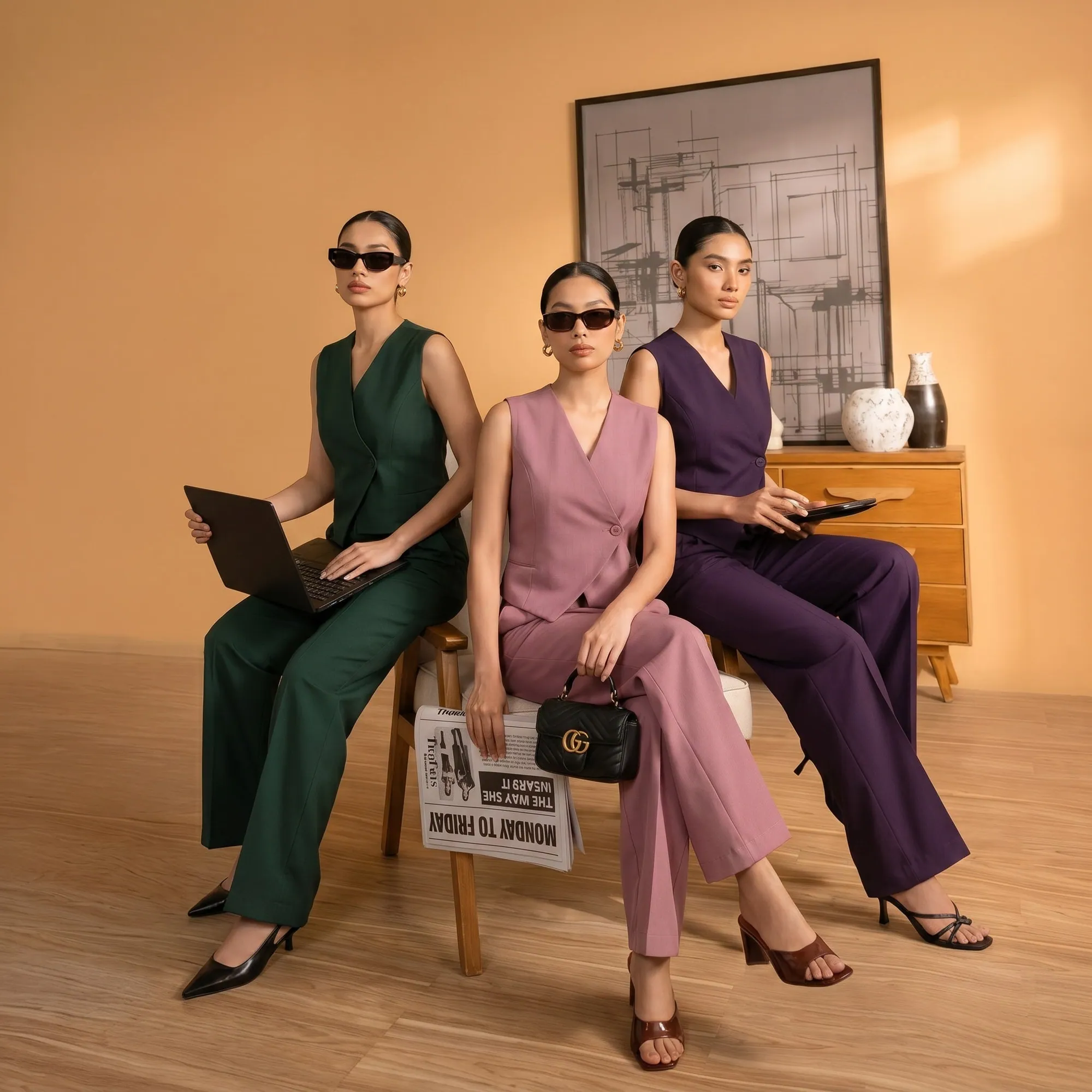
How the accuracy check works. We compare each image with your original photos for colour, print placement, logo, neckline, hem and trims, and we regenerate anything that does not match. Samples of our on-model work are in the gallery below.
Honest limit. The models in our images are AI-generated people, and the images are AI-made. We say so where a platform or law asks for it. If you want a tool you can open yourself and run unlimited experiments in, pick one of the self-serve tools below. We are a service, so you get finished files and not a login to play with.
2. Photoroom
What it is. Photoroom's AI Fashion Models places clothing on AI-generated models. Its tool page says you can start from a product photo, either a flat lay or a shot of someone wearing the item. You pick a model, a pose and a background, and you can save custom models in a brand library for reuse. It works with jewelry, eyewear and footwear too, and it has batch editing.
Allowances. Photoroom's pricing page lists AI Fashion Model generations by plan at 1K size: up to 1,600 on Pro, up to 5,000 on Max and up to 15,000 on Ultra. Max and Ultra add 2K and 4K output (up to 185 and 555 at 2K, and 310 at 4K on Ultra). The pricing page we opened shows plans as billed yearly and prints no dollar amount. Photoroom's own November 2026 article lists Pro at $7.50 a month, Max at $20.99 and Ultra at $82.50, each billed annually.
Who it suits. A small team that wants to make and tweak images itself, at high volume, from a phone or browser.
What to check. Photoroom's own article notes that folded or hidden garments give less detail, and that its Product Fixer tool works only on images generated from a single source photo. Compare every image with the real garment.
3. Botika
What it is. Botika describes itself as an AI operating system for fashion content. Its site says it turns existing product photos into on-model images and video, and accepts flat lay, hanger and ghost mannequin photos. It lists 150+ AI models across body types, skin tones and markets, and says prints stay aligned, logos stay placed and texture stays readable.
Price. Botika's pricing page shows Personal at $20 a month, Pro at $48 and Max at $80, all billed yearly, with 10,080, 26,400 and 48,000 credits. A standard 2K on-model image costs 30 credits, which the page puts at about 350 images on Personal. Monthly-billing prices are not shown on the page. Fast 1K is 20 credits, High 4K is 40 and Max is 80.
Who it suits. Fashion brands that want to run bulk uploads themselves and choose model, pose and background separately.
What to check. Photoroom's article says Botika has no custom model upload and that most full-body poses are small variations on standing. That is a competitor's view, so check it against Botika's current product in a trial.
4. FASHN
What it is. FASHN says it is a fashion AI agent for e-commerce brands. Its tools include product photos, virtual try-on, AI models and fashion videos. You start from a product photo, a model image, an asset in your gallery or a text description. FASHN's page says it is built to keep colour, print, logos, materials and construction intact, and it also warns that AI can still get small details wrong, so you should compare images with the real product. It says sharp, well-lit source photos give the most faithful results.
Price. App plans on FASHN's pricing page: Basic $19 a month (200 credits), Pro $49 (750 credits) and Agency $99 (1,500 credits), on monthly billing. Yearly billing brings these to $16, $41 and $83 a month. The page says most tools start at 1 credit per image and does not give per-tool costs. API credits are $0.075 each on demand.
Who it suits. Brands and developers that want an app plus an API, and that will review the output themselves.
What to check. Photoroom's article says FASHN does not auto-complete outfits, so every piece must be uploaded. Confirm this in a trial.
5. Kive
What it is. Kive turns product photos into on-model images and short video. Its page says generations are anchored to your real garment so cut, fabric, colour and details carry onto the model, and that busy prints and small logos are the hardest to keep, so you should check them on each image. It takes one to four photos per item, builds reusable character models from one to three photos of a person you have rights to, and has bulk generation on paid plans. It covers clothing, bags, jewelry, eyewear and shoes. Video clips run 4 to 15 seconds.
Price. Kive's pricing page lists Basic at $40 a month on monthly billing (2,000 credits), or $30 a month billed yearly. Pro tiers start at $100 a month for 5,000 credits. The page says an image costs about 10 credits. Some figures on that page did not agree with each other when we checked, so confirm the live price before you buy.
Who it suits. Brands that want to build their own recurring model and run scenes and video from one tool.
What to check. Kive's page tells you to check the rules on disclosing AI-generated people on marketplaces and ad platforms before you publish. That applies to every tool on this list.
6. Claid
What it is. Claid is a product-photo suite with an AI Fashion tool and an AI Photoshoot tool, and an API. Its pricing page lists AI Fashion generations at 4 credits each: 12 on the free trial, 125 on Essentials, 500 on Pro and unlimited on Business.
Price. The dollar amounts did not show on the Claid pricing page when we opened it, so we do not state them. Presti's August 2026 article lists Essential from about $15 a month and Pro at $49, which is a third party's figure. Check claid.ai/pricing.
Who it suits. Teams that want to automate image work through an API.
7. Wearview
What it is. Wearview turns a clothing photo (flat lay, hanger or on a person) into an on-model image. Its site lists 100+ AI models, model swap, virtual try-on, ghost mannequin tools, footwear, bags and accessories, and says commercial rights are included.
Price. Its pricing page lists Lite at $29 a month (50 credits), Pro at $49 (200 credits) and Advanced at $99 (500 credits), each shown beside a lower promotional price that we ignore. An on-model image costs 3 credits, which is about 16 images on Lite by our arithmetic (50 ÷ 3).
Who it suits. Small clothing brands that want a monthly plan with a fixed credit count.
Garment accuracy: how to check any generator
Every vendor above warns in some form that small details can go wrong. Run this check before an image goes on a product page. It takes a couple of minutes per image once you have the real garment next to you.
The garment accuracy check
| Check | What to compare | What a miss looks like |
|---|---|---|
| Colour | The model image against the real garment in daylight | A shade shift, especially in navy, off-white and red |
| Print and pattern | Scale, repeat and placement | A bigger or smaller repeat, a pattern that breaks at the seam |
| Logo and label | Spelling, position, size | A garbled or moved logo |
| Neckline, sleeve, hem | Shape and length against your size chart | A different neckline or a hem at the wrong height |
| Trims | Buttons, zips, pockets, drawstrings | Missing, extra or changed trims |
| Fabric | Drape and surface: sheen, weave, embroidery | Silk that looks like cotton, embroidery that goes flat |
| Body | Hands, feet and face across the range | Extra fingers, or a model whose face changes from style to style |
Cost for 150 on-model images (our arithmetic from published numbers)
| Option | Plan that covers 150 | Published price | Credits needed (our arithmetic) | Who does the work |
|---|---|---|---|---|
| Helium | Per image | $1 an image: 150 × $1 = $150 | None | Us, with a check on every image |
| Botika | Personal (10,080 credits) | $20 a month billed yearly; monthly price not shown | 150 × 30 credits = 4,500 for 2K images | You |
| FASHN | Basic (200 credits) | $19 a month on monthly billing | 150 credits only if each image costs 1 credit; the page does not list per-tool costs | You |
| Kive | Basic (2,000 credits) | $40 a month on monthly billing | 150 × about 10 credits = about 1,500 | You |
| Claid | Pro (500 generations) | Dollar price not visible on its page when checked | 150 × 4 credits = 600 credits | You or your developers |
| Wearview | Advanced (500 credits) | $99 a month; Pro at $49 gives 200 credits, which is 66 images | 150 × 3 credits = 450 | You |
| Photoroom | Pro (up to 1,600 generations at 1K) | Billed yearly; $7.50 a month per its own article | Within the 1,600 cap | You |
Pricing compared
Prices below are as published in November 2026 on each company's own pages. Nobody shows the same thing, so a headline price is not the cost of a catalog.
What one image costs. Most tools sell credits, and one on-model image uses more than one credit. By our arithmetic from the published numbers: Botika Personal's 10,080 credits at 30 credits a 2K image is 336 images (the page says about 350). Kive at about 10 credits an image gives about 200 images from Basic's 2,000 credits. Wearview at 3 credits an image gives about 166 images from Advanced's 500 credits. Claid at 4 credits gives 125 generations on Essentials and 500 on Pro.
Billing basis. Photoroom and Botika show yearly pricing on the pages we opened. FASHN, Kive and Wearview show monthly billing. A plan billed yearly costs less per month, but you pay for the year up front, so compare like with like.
The work is not in the price. Self-serve plans buy credits. They do not buy someone to pick poses, throw out the images where the print drifted and rename files by SKU. For a 150-image batch on Helium, that is 150 images at $1 each, $150 by our arithmetic. The table above shows what you do yourself with each option.
Questions to ask before you sign
- Is the price per image or per credit? Ask for the credits used by one on-model image at the resolution you need. Botika lists 30 credits for a 2K image, Kive about 10, Wearview 3, Claid 4.
- Do failed images use credits? If a print comes out wrong and you regenerate, do you pay again? Helium checks and remakes before you see an image.
- Can I keep one model across the whole range? Photoroom, Kive and Wearview all describe reusable models. Confirm that the same face and body type hold across 100 styles.
- What do I upload for a folded or hidden garment? Photoroom's article says folded or hidden garments give less detail. Send the best flat lay or hanger shot you have.
- Who owns the images and can I use them in ads? Wearview states commercial rights are included. Ask every vendor in writing.
- What do platforms require? Kive's page says some marketplaces and ad platforms have rules on disclosing AI-generated people. Read the current rules before you publish.
Helium on-model work
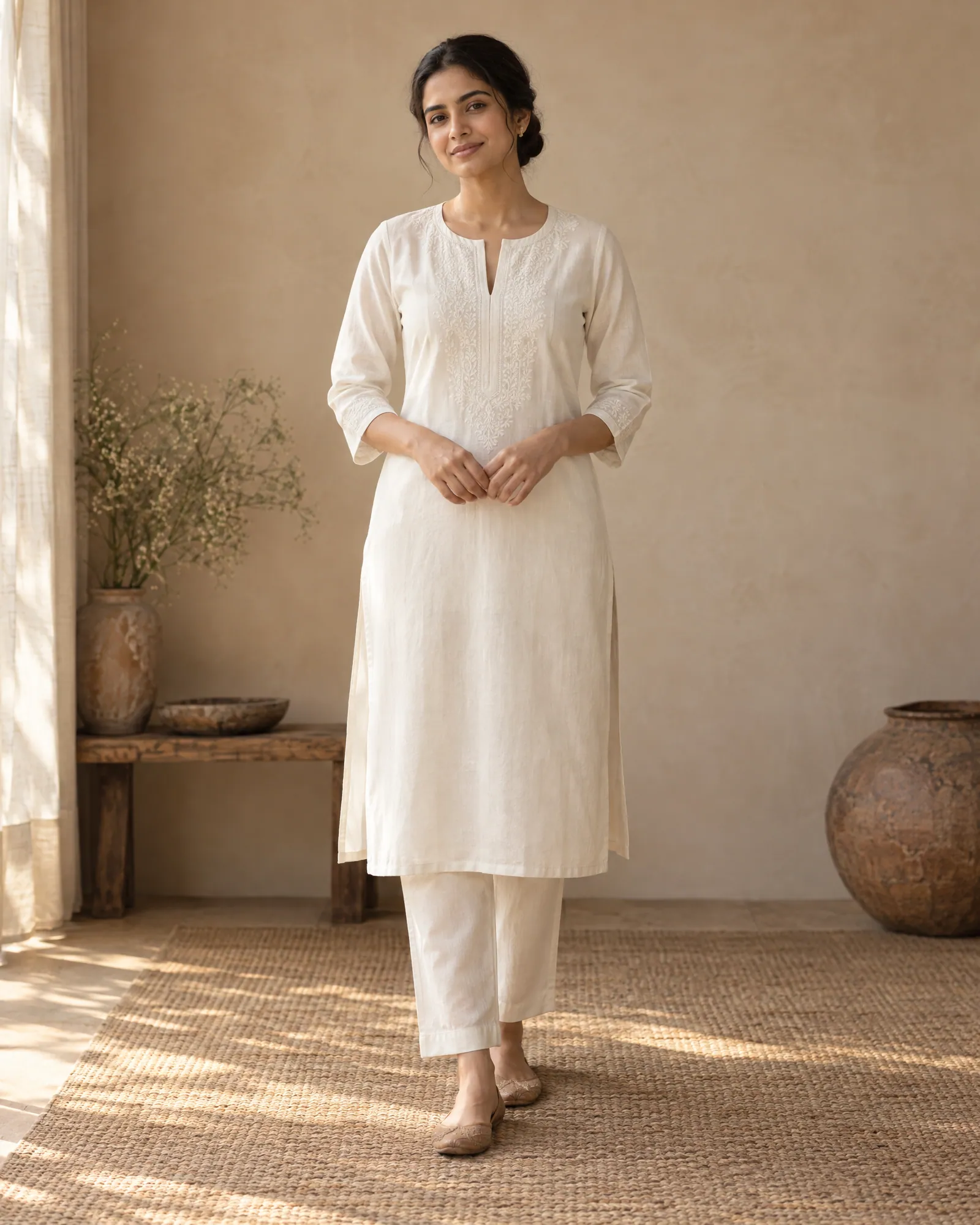
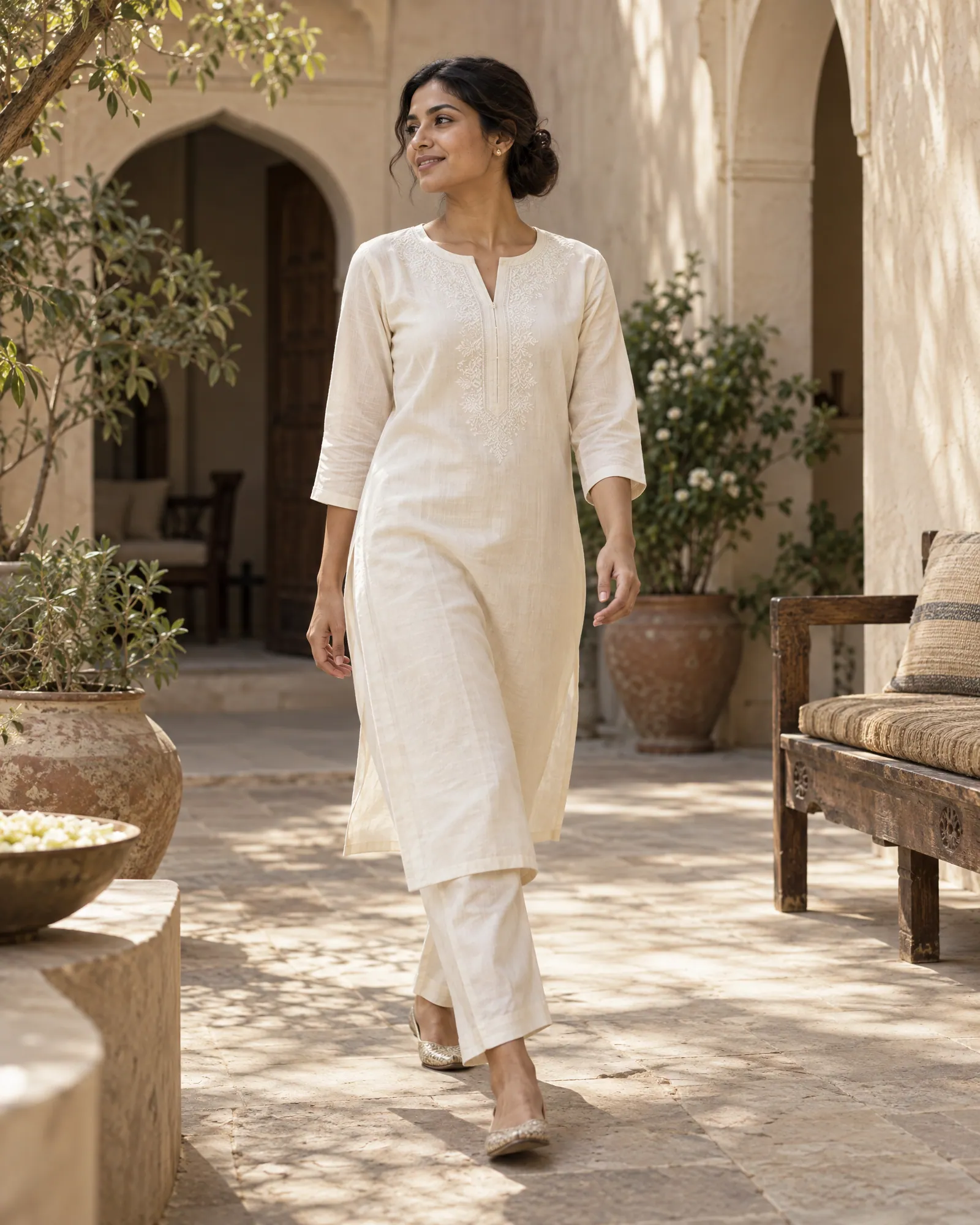
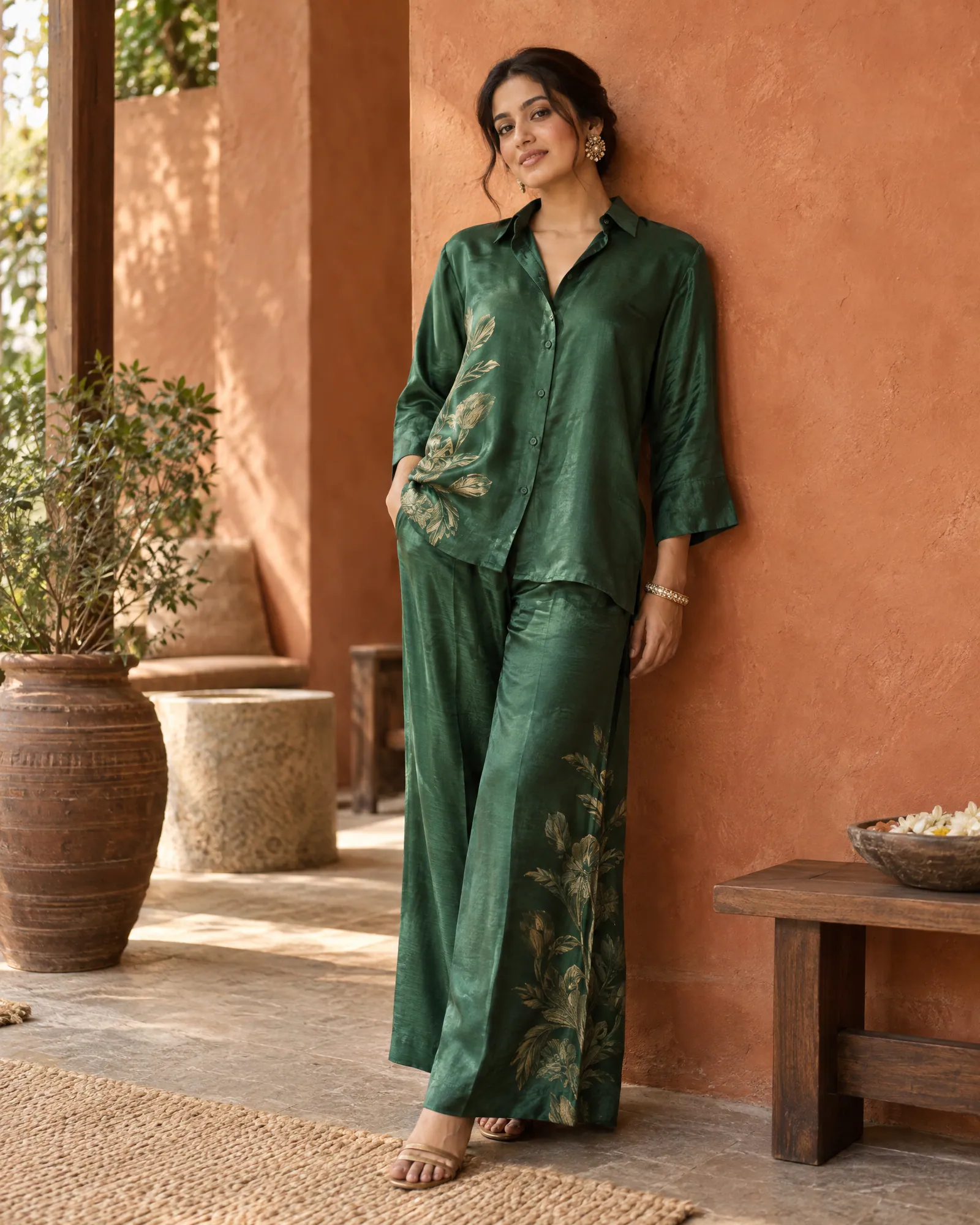
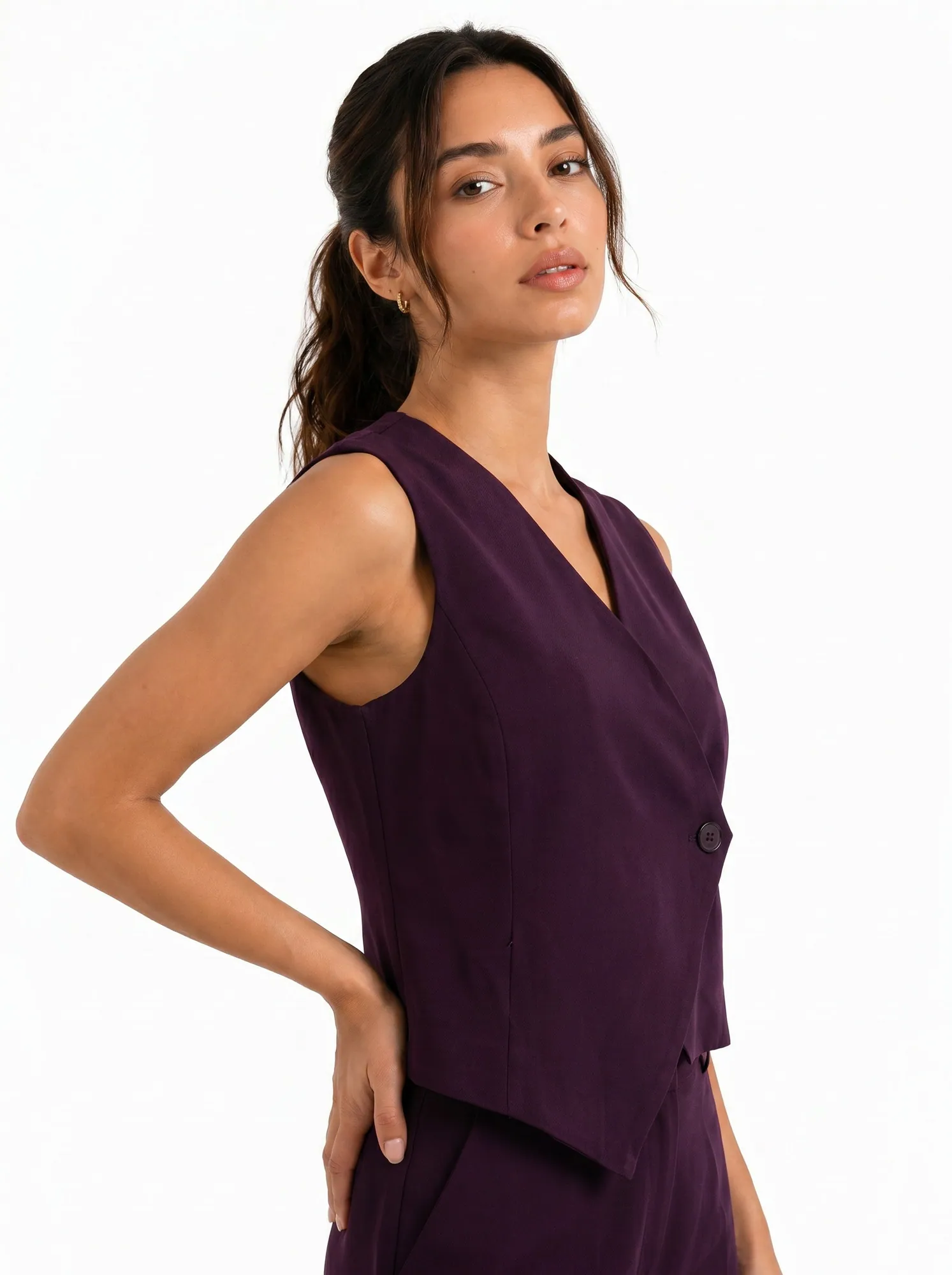
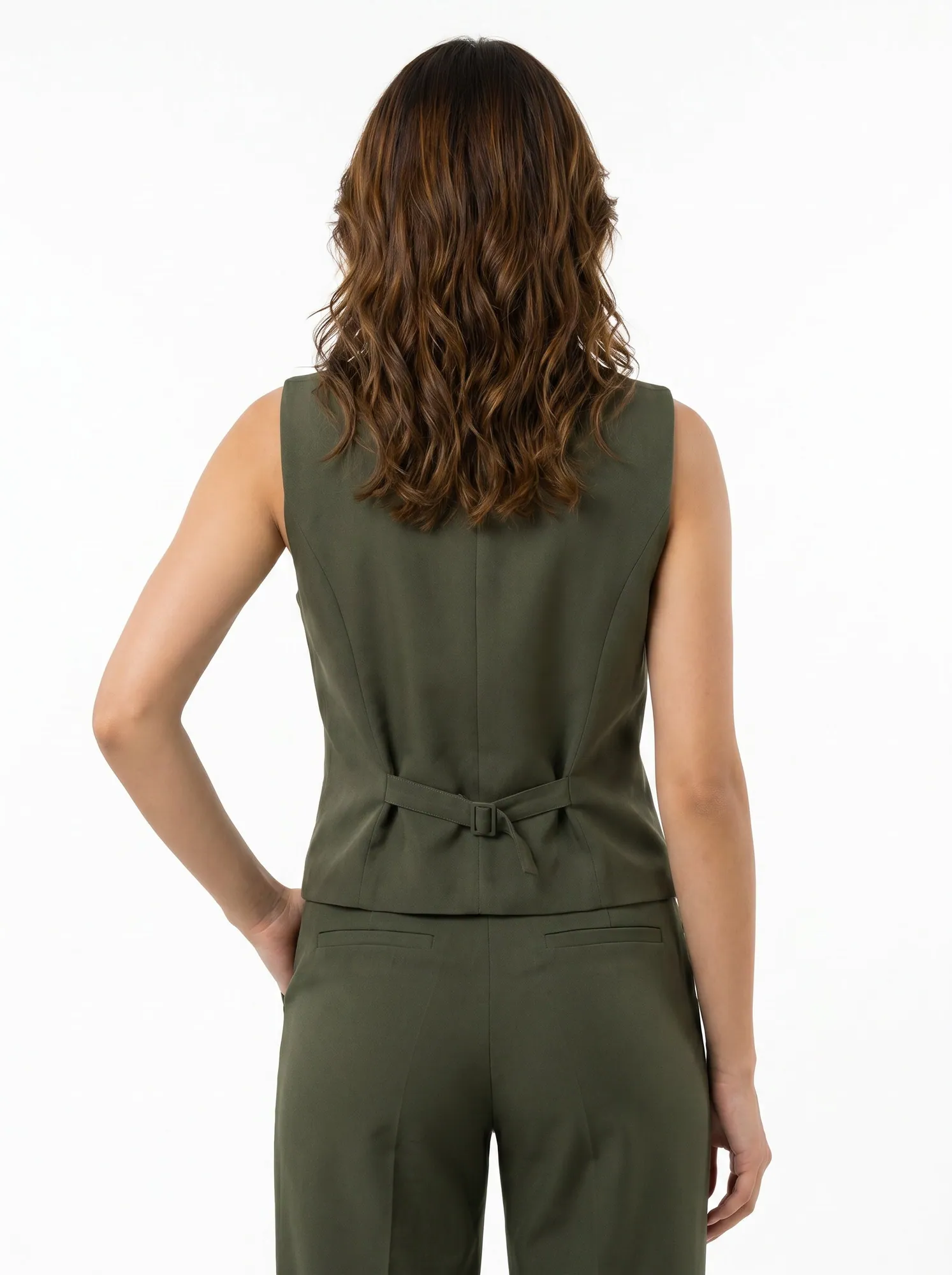
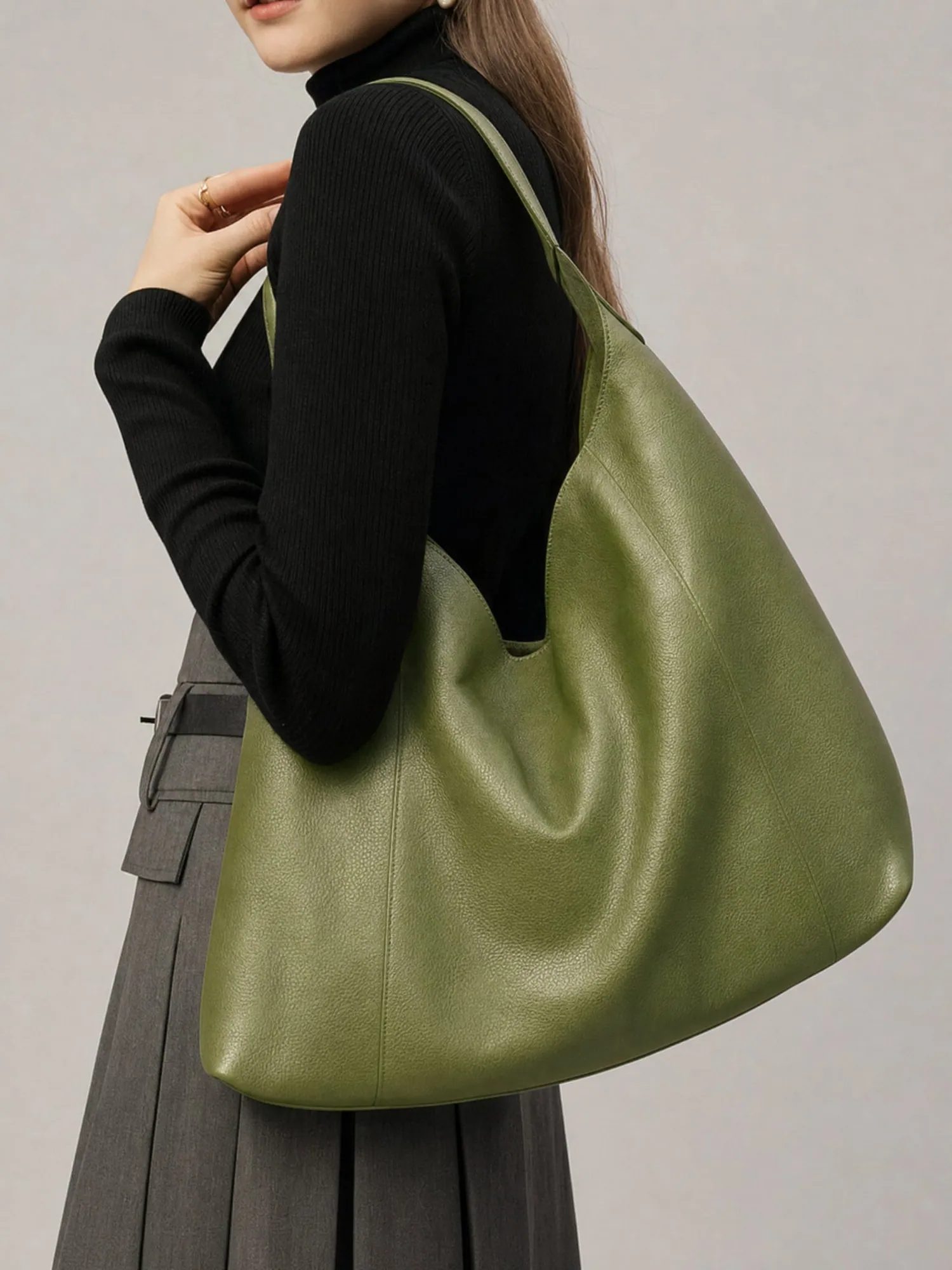
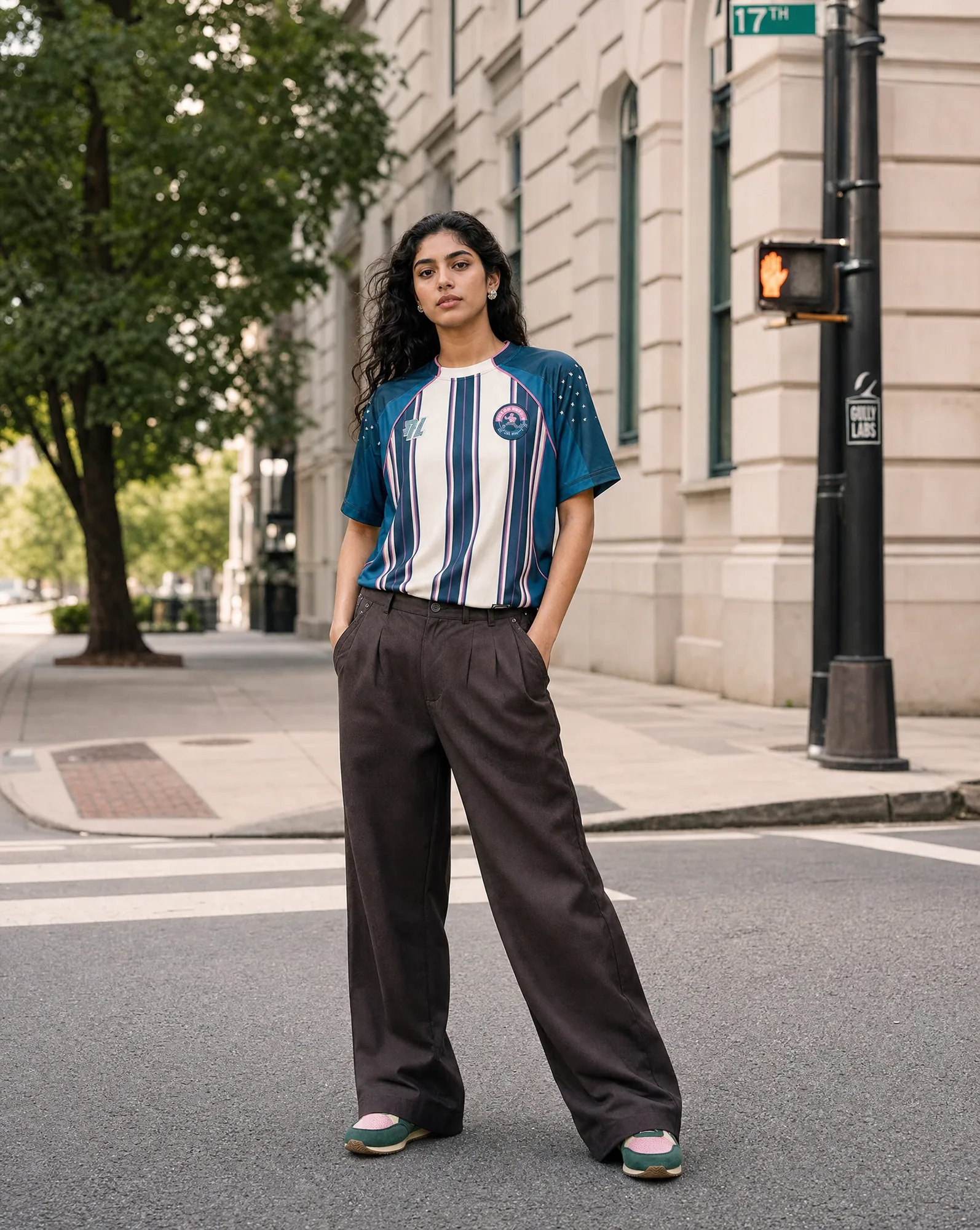

See catalog photography for clothing →
How to choose
Start with how many styles you have. If you have 20 styles and someone who enjoys the work, a self-serve plan from the list above is the cheaper route. Plan for yourself to review every image.
Run the accuracy check on every image, whatever you pick. Open the real garment next to the generated image and compare colour, print placement, logo, neckline, hem length, buttons or zips, and how the fabric falls. Do the same on the back and side views. A model that looks real while the print is wrong is the failure that gets returns.
If you have 100+ styles, price the checking time. A $99 plan with 500 credits still needs a person to look at 150 or more images and send the bad ones back. A managed service moves that work to someone else for $1 an image. Get a free sample of your own product and compare it with what a tool gives you.
If you want video next. Many clothing brands want the same catalog as short ads. Our ad creatives team makes those from the same product photos, and clothing product photography shows the seven-shot list we use for catalog images.
Sources
Questions
AI fashion model generator questions
Can Helium show me before I pay?
Yes. Send one product and we make a free sample of it.
Can I use my own flat lay or hanger photos?
Yes with most tools here. Photoroom, Botika, Kive, Wearview and FASHN all list flat lay, hanger or product photos as inputs. Helium works from your store link or the photos you already have.
Do I need to tell shoppers an image uses an AI model?
Kive's page says some marketplaces and ad platforms have rules on disclosing AI-generated people and to check them before you publish. Helium's images are AI-generated and we say so where a platform or law requires it.
How accurate are AI fashion models on real garments?
Vendors say so themselves: FASHN's page warns that AI can still get small details wrong, and Kive's says busy prints and small logos are the hardest to keep. Compare every image with the real garment for colour, print, logo, neckline, hem and trims.
How much does an AI on-model image cost?
It depends on the credits an image uses. Published figures include 30 credits for a 2K image on Botika, about 10 on Kive and 3 on Wearview. Helium charges $1 an image, with volume pricing for full catalogs.
What is the best AI fashion model generator for a clothing brand?
It depends on who does the work. For tens of styles and a person who will review every image, a self-serve tool such as Photoroom, Botika, FASHN, Kive or Wearview costs less. For a large range where print and logo accuracy matter and you want finished files, Helium delivers checked on-model images at $1 each.
Keep reading
Related.
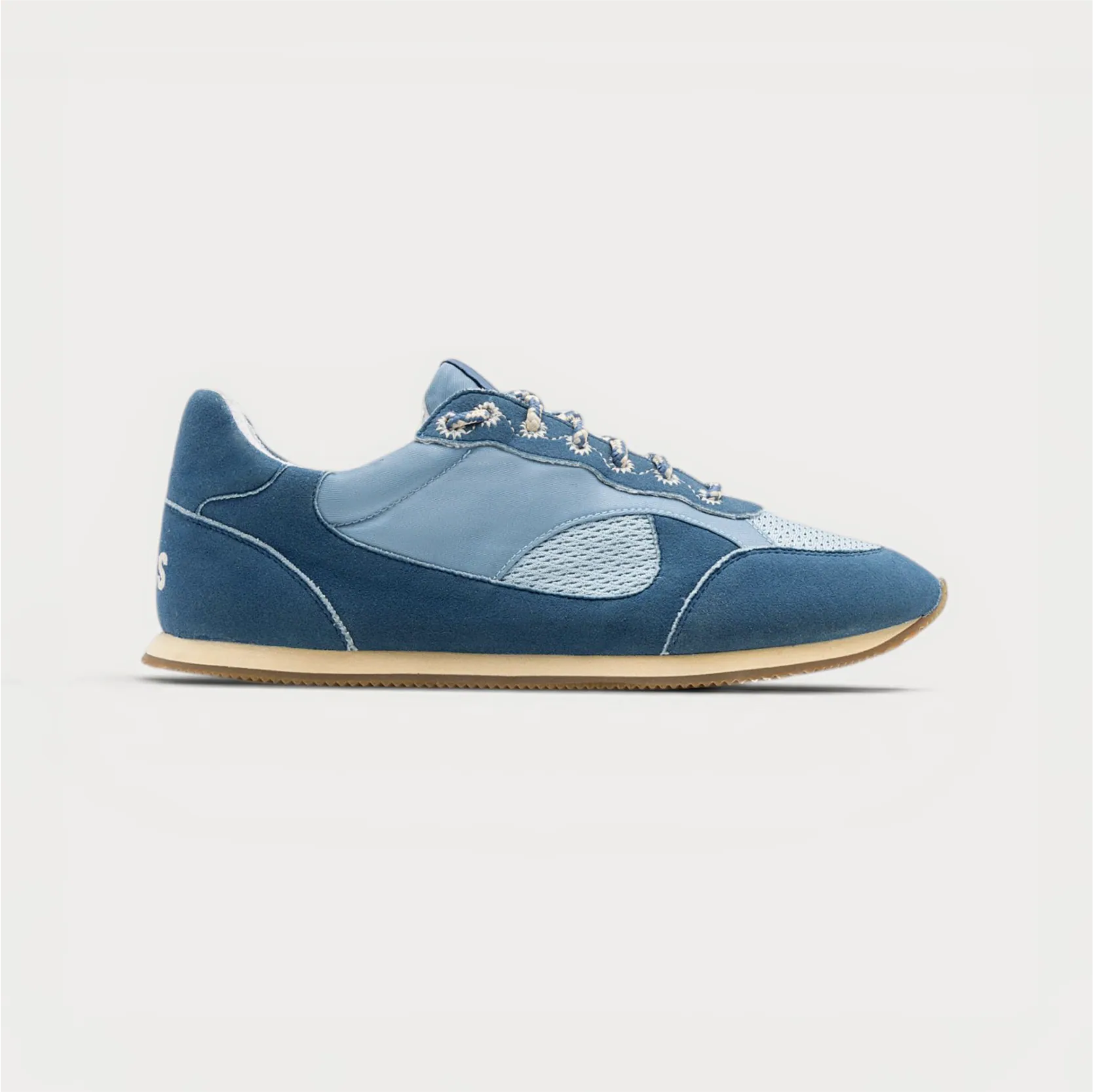
AI product photography tools, compared honestly.
Photoroom, Pebblely, Claid, Flair, Presti and Mokker are good tools. Here is what about 150 images a month cost on each, who each one suits, and when a managed team makes more sense than another login.
Clothing photography that looks like one range, not forty shoots.
A brief for apparel brands: front, back, detail and on-model shots with the same model, light and fit across every style, checked against the real garment.
How to do an AI product photoshoot without the product changing.
The method we use on real catalogs: good references, a shot list, one locked style, and an accuracy check on every image.
Free sample
See your own garment on a model first.
Send one product link. We send an on-model sample of it, checked against your photos, before any call. Catalog images are $1 each.
Rather talk? or WhatsApp us